Build a Medieval Army How to Redeem Codes
Claim cash, XP, prestige, and effects in Medieval War Tycoon without missing a reward.
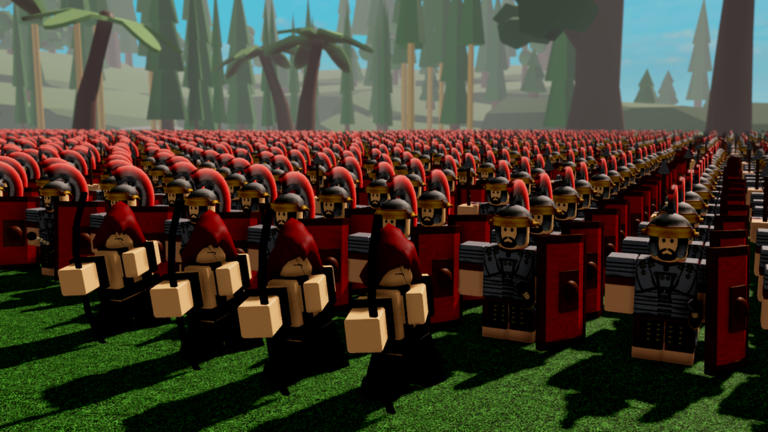
Redeeming codes in Build a Medieval Army (also called Medieval War Tycoon) takes less than a minute once you know where ZedCo hid the menu. This guide walks through the exact in-game path, what to do with each reward type, and how to troubleshoot codes that look active on the wiki but fail in your session. Pair it with the live list on the Codes Hub so you always paste current strings.
Exact redeem steps
- Launch the experience from the Roblox place page for Medieval War Tycoon and wait until your base and UI fully load.
- Look at the left side of the screen and click the gear icon (settings / options).
- Open the Codes section inside that menu.
- Click the text field, paste one code at a time, and press Enter.
- Watch for a success message or inventory/cash update, then redeem the next code.
Do not batch-paste multiple codes into one field. Roblox experiences usually expect a single string. After cash codes land, glance at your balance before leaving the menu so you know the reward applied.
Best order to redeem
New players should redeem in this order when possible:
- Cash codes —
startcash55,casher72,maze74,big2xmascash— fund early troops and pumps. - XP / level codes —
morexp52,xpbooster42,xmaslvls— speed unlock pacing. - Prestige / effect codes —
pres1234,flames3— prestige progress and Flaming Arms once your loop is stable.
Community-reported strings like studtest61, pressed22, and freeprestige should be tested last. They may already be dead; failing them does not mean the main list is wrong.
What success looks like
Cash rewards should raise the amount you can spend on recruitment and base upgrades immediately. Level and XP rewards may not flash a giant banner—check your progression UI after redeeming. Prestige from pres1234 (+2 Prestige when valid) is especially valuable because prestige unlocks exclusive units covered in Prestige Units and How to Prestige. Flaming Arms is a visual effect; it will not replace a troop tier plan or a defense setup.
If you are Premium, remember you already earn +10% cash from normal play. Codes stack on top of that economy rather than replacing flag runs. Keep capturing and returning enemy flags, and contest the hilltop flag for +20% income after you leave the codes menu.
Troubleshooting failed codes
Typo or spacing. Codes are case-sensitive in many Roblox games. Paste from the Codes Hub instead of retyping. Remove spaces before or after the string.
Already redeemed. Most codes are one redeem per account. A failure message often means you claimed it earlier on the same Roblox user.
Expired. Holiday and event codes rotate. If a Christmas-themed string stops working weeks later, mark it expired mentally and rely on remaining active entries.
Menu not visible. Soft-rejoin the server, confirm the gear icon is on the left UI, and make sure you are not in a cutscene or dead state that hides HUD elements. Switching servers rarely “refreshes” code validity, but it can fix a stuck UI.
Wrong experience. Confirm you joined the ZedCo place (Medieval War Tycoon / Build a Medieval Army), not a fan copy. Codes only work in the official experience.
After you redeem: spend plan
Turn code cash into map presence. Buy a basic recruit line, send units toward enemy flags, and escort stolen flags home for payouts. Spend the next wave into defenses so reverse raids do not wipe your lead. Read Early Game Income for a minute-by-minute spend order, and How to Capture Flags for safer flag routes.
Join the ZedCo group if you have not already—the free Praetorian soldier is a permanent account perk that complements temporary code cash. Before buying Robux perks, skim Gamepasses Tier List so Double Income or specialty soldiers match your prestige timeline. The Income Prestige Planner helps you estimate how code cash plus hill control shortens the path to exclusive units.
Habits that keep codes useful
Check the Codes Hub after updates listed on the Updates Hub, redeem on every alt only if you accept the time cost, and never share account credentials with “code bots.” Scripts that auto-redeem or auto-farm may violate Roblox rules and risk bans—see the Scripts Hub for safety context if you research automation. Legitimate play plus timely codes is enough to snowball into a strong medieval army.
Related pages
- Codes Hub — full active list
- How to Play — full beginner loop
- Controls Hub — UI and movement basics
- Units Hub — spend rewards into the right roster
- Review — whether the tycoon loop is worth your time
Redeem carefully, spend deliberately, and convert temporary code spikes into lasting map control.
Frequently Asked Questions
Quick answers for Build a Medieval Army players.
Where is the Codes button in Build a Medieval Army?
Open the gear icon on the left side of the screen, then choose the Codes section. Paste a code and press Enter.
Why did my code say invalid?
Common causes are typos, extra spaces, an expired code, or a code you already redeemed on that Roblox account.
Can I redeem multiple codes at once?
Redeem one code at a time. Paste, press Enter, confirm the reward, then move to the next string.
Do codes work on mobile?
Yes, if the gear menu and Codes section are available in your session. Use paste when possible to avoid typos on touch keyboards.
Should I redeem prestige codes before cash codes?
Cash first is usually better for new bases so you can recruit and defend. Prestige codes are most valuable once your income loop is running.